Technical SEO
Core Web Vitals Explained: LCP, INP, and CLS Without the Jargon
You tap a link. The page takes a beat too long to show up. Then, right as you’re about to tap the button you actually came for, the text jumps and you hit something else instead. Or you tap a button and nothing happens, so you tap it again, and now you’ve submitted the form twice.
Every one of those moments has a name in Google’s world, and every one of them affects rankings. This post skips the acronyms until they’re actually needed. Just the everyday version first, the technical name second.
What Core Web Vitals Actually Measure
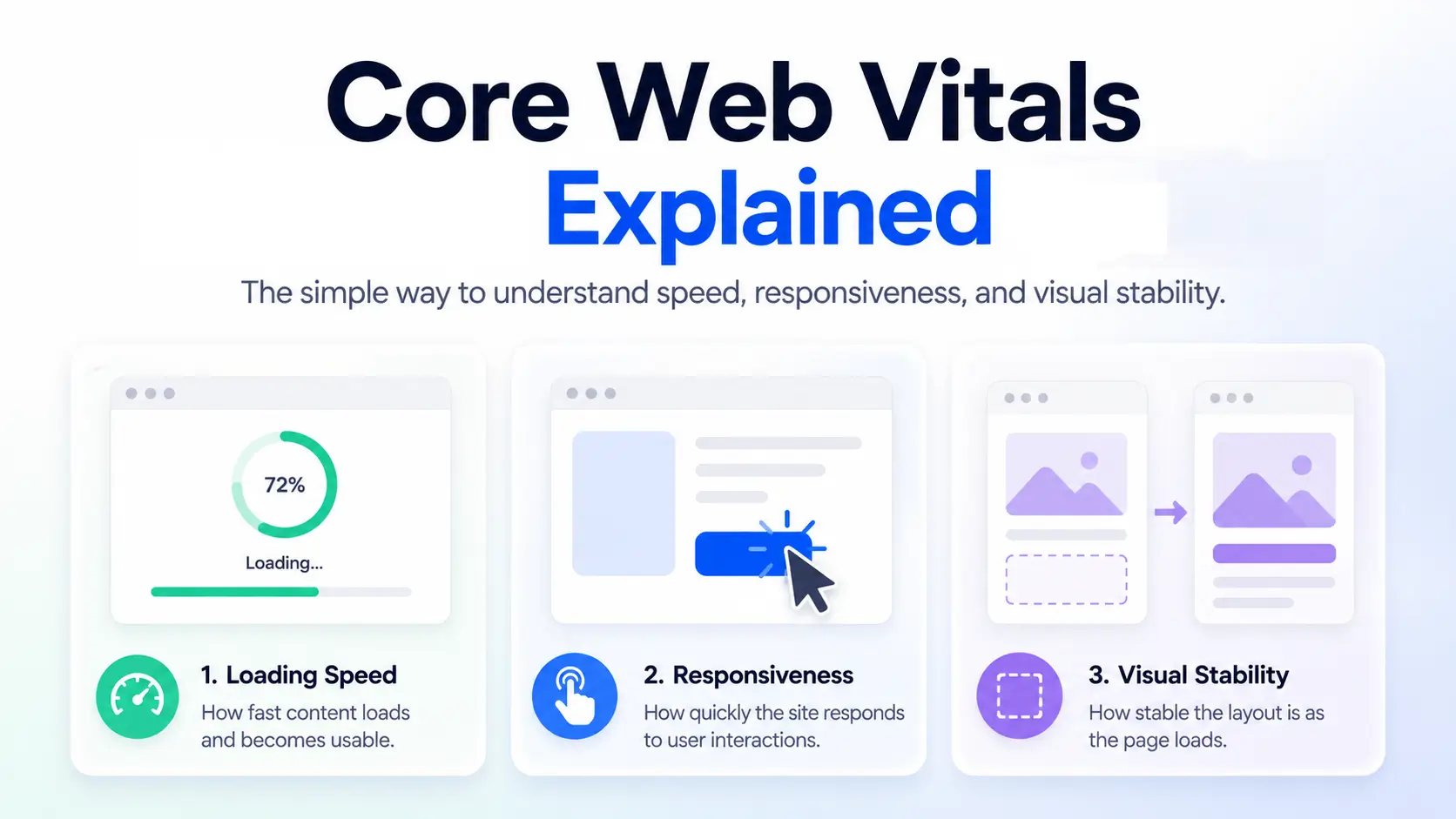
Three things, in plain terms, before a single acronym shows up:
- How long you wait before the main thing on the page shows up.
- How quickly the page responds when you tap or click something.
- How much the page jumps around while it’s loading.
Now the names. The wait is called Largest Contentful Paint (LCP). The responsiveness is called Interaction to Next Paint (INP). The jumpiness is called Cumulative Layout Shift (CLS). Together, these three make up what Google calls Core Web Vitals, and they sit under the "does Google trust this page" question covered in What Is Technical SEO? A Practical Definition for 2026.
Largest Contentful Paint (LCP): The Wait
LCP measures the time it takes for the biggest, most important piece of content on a page, usually a hero image, a headline, or a main block of text, to finish loading and actually appear on screen. Not the whole page. Just the main thing.
Google’s benchmark: under 2.5 seconds is good, 2.5 to 4 seconds needs improvement, over 4 seconds is poor.
The usual causes are large unoptimized images, slow server response time, and scripts that block the page from rendering while they load. None of that needs to mean anything technical to you right now. What matters is the real-world version: someone searching for what you offer on their phone, probably in a hurry, maybe on a weak connection. If the main content takes 4 seconds to show up, a real share of those people are gone before they ever see it.
Interaction to Next Paint (INP): The Responsiveness
INP measures how long a page takes to visibly respond after someone taps a button, clicks a link, or fills in a field. This metric replaced an older one called First Input Delay in 2024, worth knowing only because you may still see FID mentioned in older reports or tools that haven’t updated their terminology.
Benchmark: under 200 milliseconds is good, 200 to 500 milliseconds needs improvement, over 500 milliseconds is poor.
Everyone has lived the bad version of this: you tap a button, nothing visibly happens, so you tap it again, and now you’ve triggered the action twice. That’s an INP problem in the wild. It usually comes from heavy JavaScript competing for the browser’s attention at the exact moment someone tries to interact, often made worse by third-party scripts like chat widgets or tracking pixels all trying to load at once.
Cumulative Layout Shift (CLS): The Jumpiness
CLS measures how much visible content unexpectedly moves around while a page loads. This one is less about speed and more about stability and trust.
Benchmark: under 0.1 is good, 0.1 to 0.25 needs improvement, over 0.25 is poor.
The classic example, one almost everyone has experienced without knowing its name: you go to tap a button, and half a second before your thumb lands, an ad loads in above it and shoves everything down. You end up clicking the ad instead. The page technically "worked," but it felt unstable and out of your control, and that feeling sticks with a visitor even after the page finishes loading.
Core Web Vitals at a Glance
| Metric | What It Measures | Good | Needs Improvement | Poor |
|---|---|---|---|---|
| LCP | Time until main content appears | Under 2.5s | 2.5s to 4s | Over 4s |
| INP | Responsiveness to taps and clicks | Under 200ms | 200ms to 500ms | Over 500ms |
| CLS | Visual stability while loading | Under 0.1 | 0.1 to 0.25 | Over 0.25 |
Do Core Web Vitals Actually Affect Rankings?
Honestly, only somewhat, and it’s worth being precise about this rather than overselling it. Core Web Vitals are one of many ranking factors, and a fairly minor one on their own. Where they tend to matter most is as a tiebreaker: if two pages are otherwise similarly relevant and well-optimized for a search, Vitals scores can be the thing that separates them.
The bigger effect is indirect. Poor Vitals scores correlate strongly with visitors leaving before they convert, whether or not that shows up as a direct ranking penalty. A slow, jumpy page loses business even on the days it still manages to rank fine. That’s the real reason to care about this, independent of any SEO angle at all.
"Core Web Vitals are a tiebreaker for rankings, but a dealbreaker for conversions. The second one costs you more."
Sachin Pokharel
How to Check Your Own Scores (No Technical Setup Required)
Two free tools cover almost everyone’s needs here, and neither requires touching code.
PageSpeed Insights. Paste in any URL and get all three scores, for both mobile and desktop, in a few seconds. No login required.
Search Console’s Core Web Vitals report. This shows scores grouped by URL pattern across your whole site, rather than one page at a time, useful for spotting a systemic issue, like every product page on the same template running slow, instead of chasing individual URLs. For the full walkthrough of navigating this dashboard, see How to Read a Google Search Console Report Without Getting Lost.
One note before you check: mobile and desktop scores are reported separately, and mobile is almost always worse. Check both. Don’t assume a good desktop score means a good mobile one.
What Actually Fixes These (At a High Level)
You don’t need to become a developer to have a useful conversation with one. Broadly:
- For LCP: compress images, remove render-blocking scripts, improve server response time.
- For INP: reduce heavy JavaScript that runs on every interaction, and cut down on third-party scripts (chat widgets, ad scripts, tracking pixels) competing for the browser’s attention.
- For CLS: set explicit size dimensions on images and ad slots before they load, so space is reserved in advance and nothing jumps once content arrives.
Knowing this list means you can hand a developer a specific, informed request instead of just forwarding a scary-looking report and hoping they know what to do with it.
Further Reading
On this site:
From Google:
Tags: Core Web Vitals, LCP, INP, CLS, page speed, PageSpeed Insights
Frequently Asked Questions
Do Core Web Vitals matter for every type of website equally?
No. They matter most for sites where conversion happens quickly and impatience is high, e-commerce, news, and mobile-heavy service sites in particular. A slow-loading, content-rich resource that visitors expect to spend real time on feels the impact less sharply, though it is still worth fixing.
What is a realistic timeline to improve a poor score?
The technical fix itself can often be implemented in days. Seeing the updated score reflected in Google's own reporting takes longer, since Search Console's Core Web Vitals data is based on a rolling 28-day window of real user data, not a one-time test. Expect a few weeks before the reported score fully catches up to a fix.
Can a fast-loading site still fail Core Web Vitals?
Yes. A page can load quickly overall and still fail CLS if content shifts around during that fast load, or fail INP if a single heavy script blocks responsiveness the moment someone interacts. Speed and stability are related but separate problems.
Do these scores differ between mobile and desktop, and which one matters more?
They are reported separately, and mobile is treated as the primary signal for most sites, since Google evaluates most sites using mobile-first indexing. If you only have time to fix one, fix mobile first.
Is there a way to test Core Web Vitals before a page goes live?
Yes. PageSpeed Insights and similar lab-based tools (like Lighthouse, built into Chrome's developer tools) can test a page in a staging environment before launch. Keep in mind these lab tests estimate performance under controlled conditions, while Search Console reports real user data after launch. The two will not always match exactly, but a bad lab score before launch is a reliable warning sign worth acting on.

Sachin Pokharel
SEO Expert
Sachin Pokharel is an SEO expert based in Kathmandu, Nepal, specializing in search engine optimization, keyword research, and digital marketing strategies. He helps businesses improve online visibility and organic traffic through data-driven SEO techniques.
More Insights